Checking your data for hidden surprises
Lets say you’re working in Illustrator and trying to outline all of the fonts in your open file.
You have gone through the steps for outlinining all the text (Select > Object > Text Objects.
then, Type > Create Outlines),however when you try to save the file,
Illustrator tells you that some fonts haven’t been outlined. What do you do?
It could be that one or more of your text layers are hidden or locked.
Let’s check if there are any active fonts in your file.
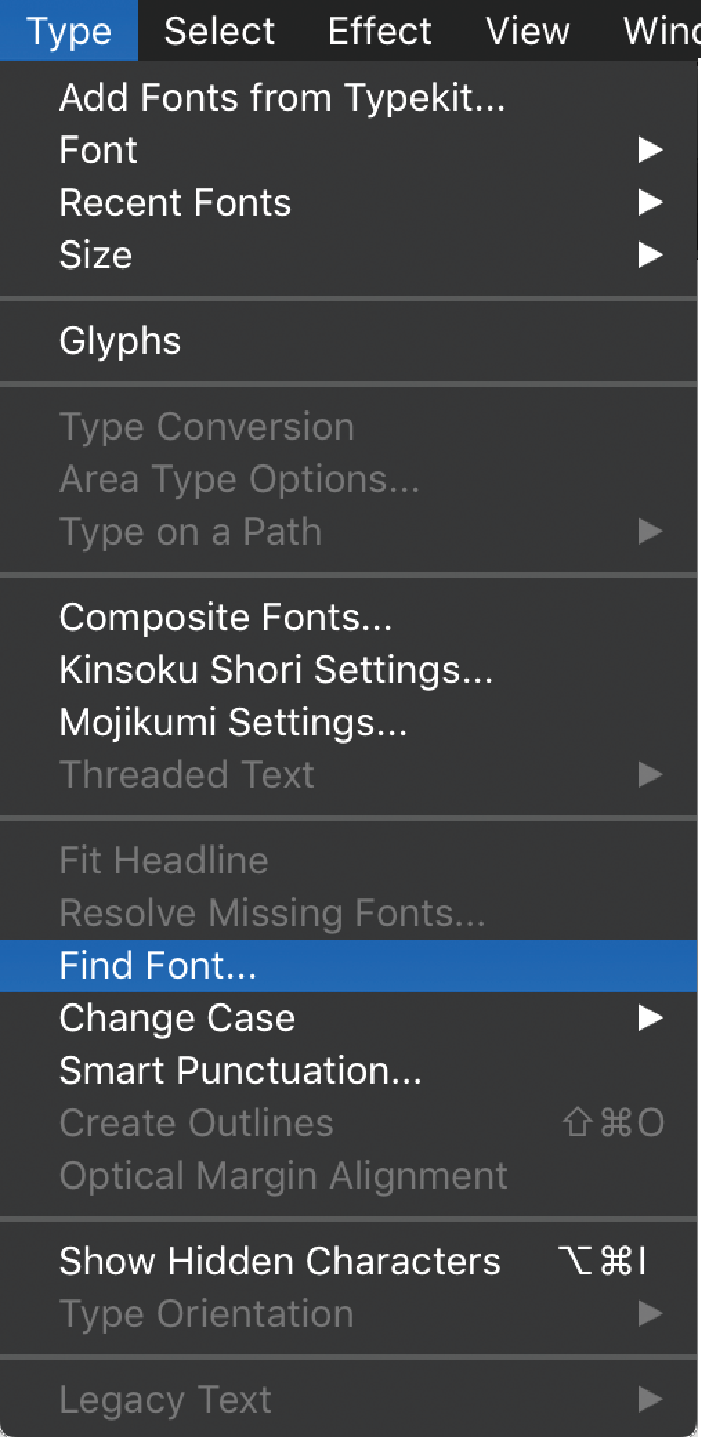
To do this you would select Type from the menu up top, then click on ‘Find Font’ (Type > Find Font).
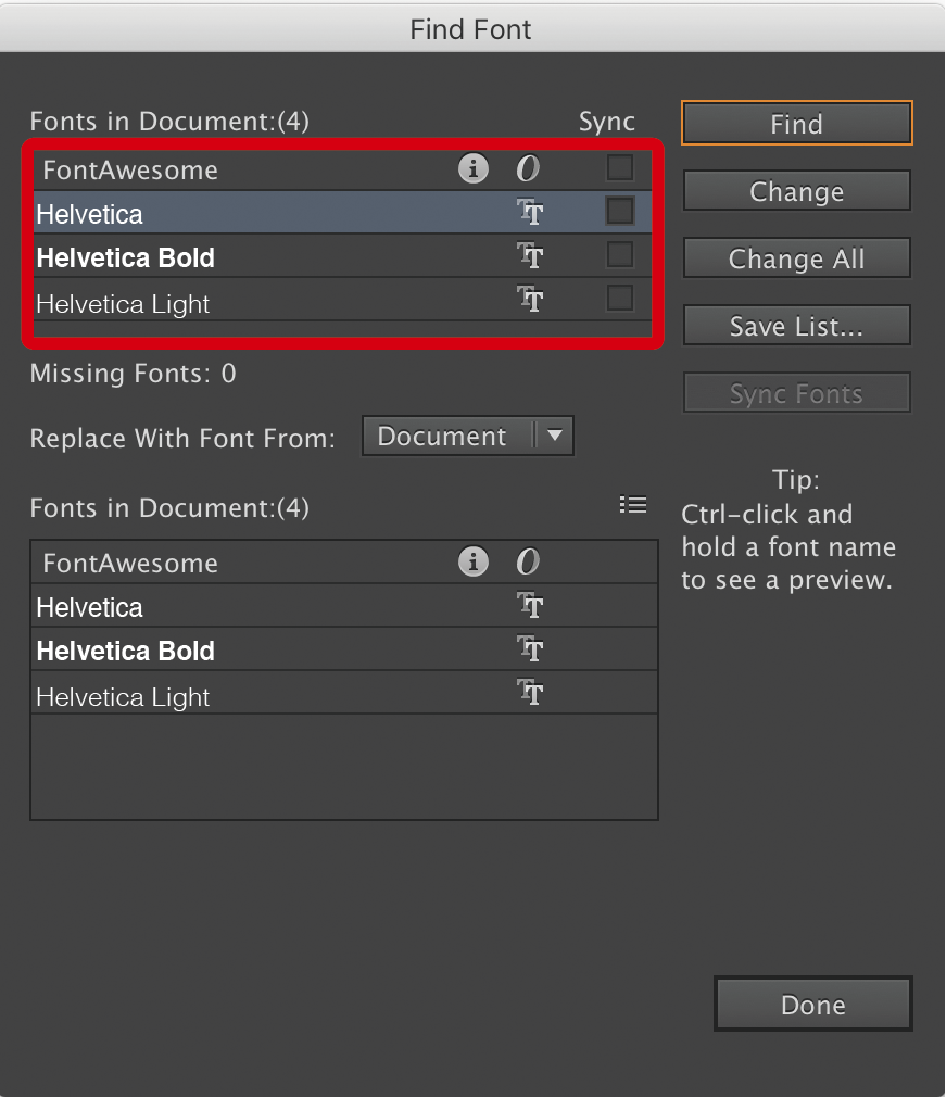
If you see any fonts below where it says ‘Fonts in Documents’, it means that one or more fonts that have not been outlined in your document.
If you see a little mark, that means this font is on a locked layer.
Now that we’ve established there are still fonts in your file, let’s do something about it.
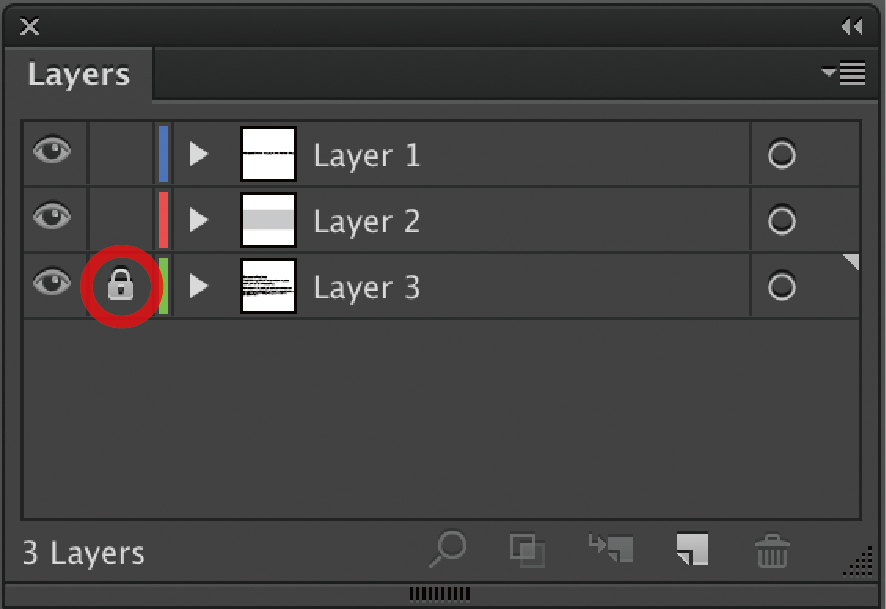
If we look at our Layers palette, we can see Layer 3 is locked. Click on the lock to unlock it.
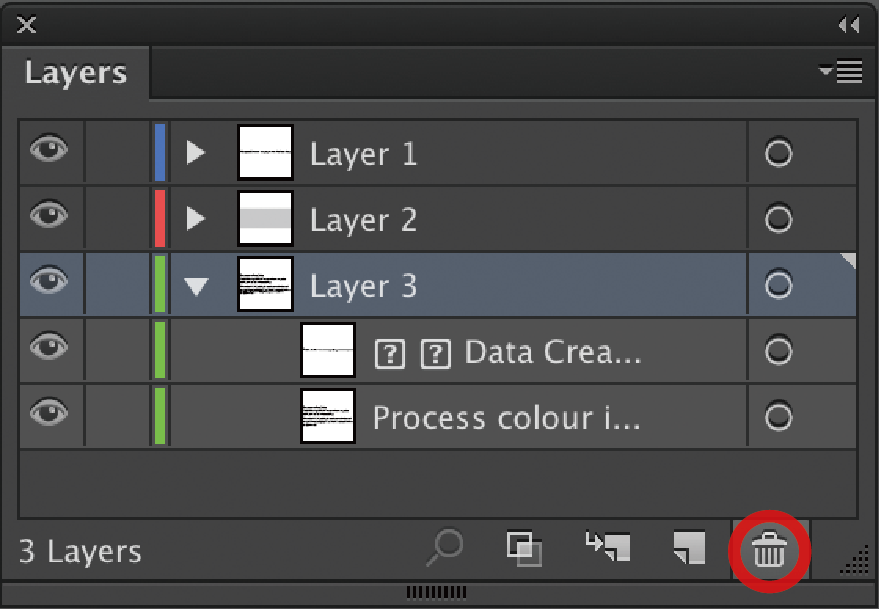
Then, select the layer and click on the trash bin icon on the bottom right.
Once you’ve deleted the layer, you can check to make sure there are no other locked (or hidden) layers in your artwork.
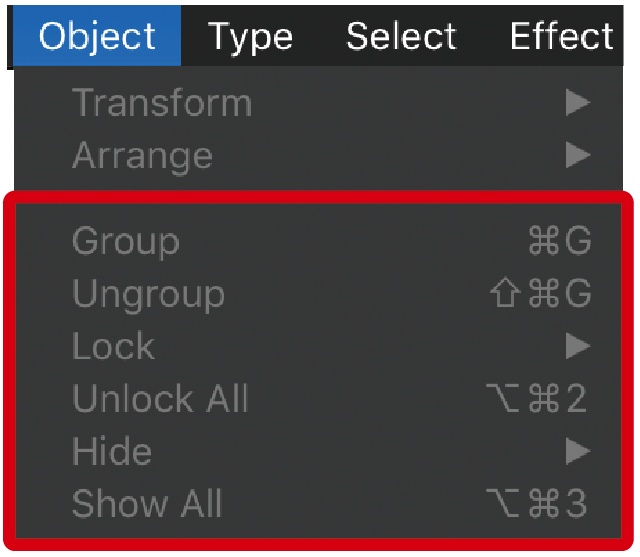
Select the Object menu up top, and look over the highlighted section below.
If all the options are grayed out, that means there are no more hidden surprises in your data.
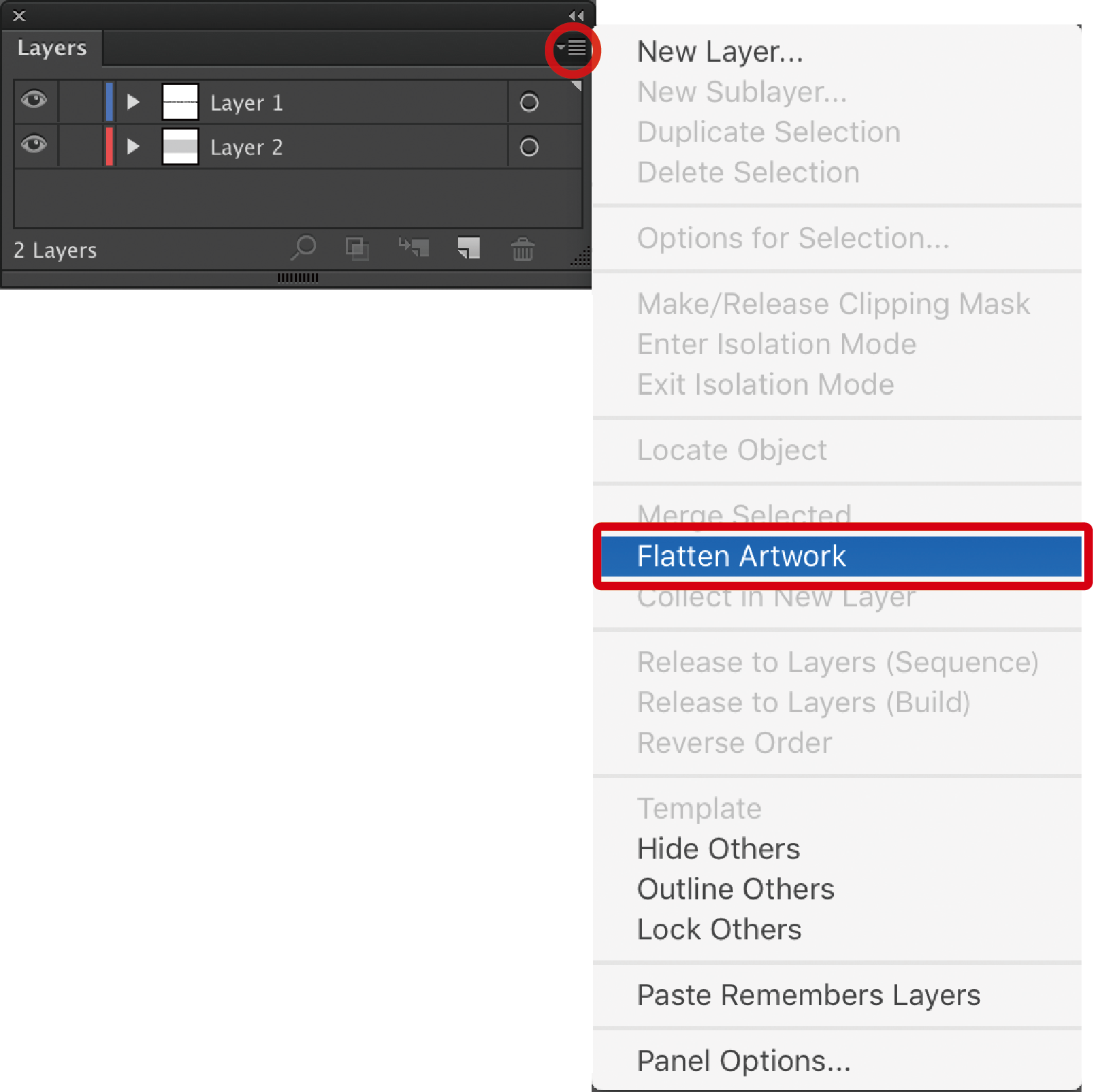
Now that your artwork is problem free, click on the downwards triangle at the top right corner of the Layers palette, then click on Flatten Artwork.
This will collect all of your layers onto one common layer







 データ作成ガイド


 Japan
Japan